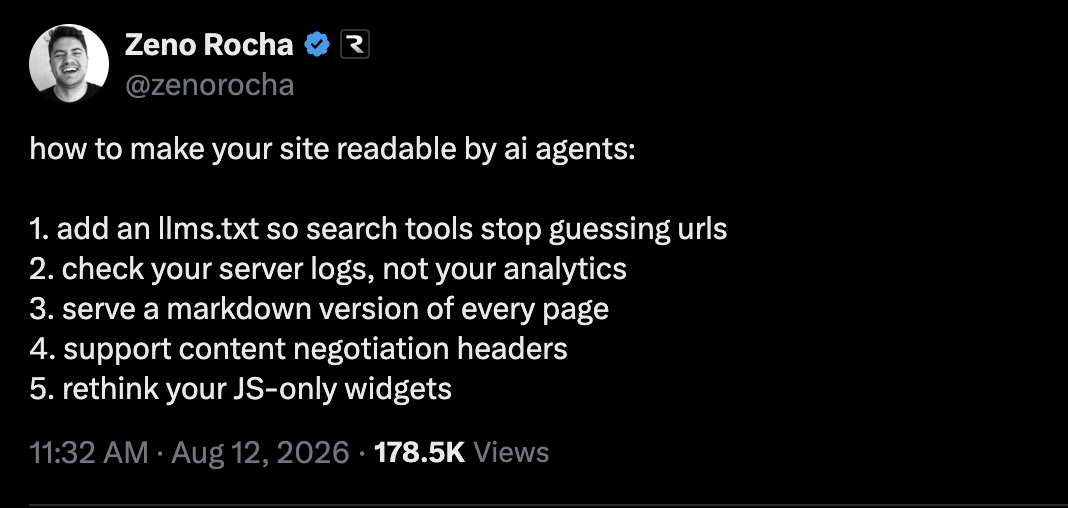
How to make your site readable by ai agents
Inspired by Zeno's post we created a step by step journey where you can apply it to your site.
This journey walks you through the steps from Zeno Rocha's guide and lets you verify the result against a monitored URL.
AI agents and LLM search tools do not browse the way humans do. They follow sitemaps, fetch plain text, and skip widgets that only exist in JavaScript.
Work through each step on the site you pick. Skip anything that does not apply. Mark a step complete when it is done for that URL.
Steps
Open a step to read it1
Add an llms.txt so tools stop guessing URLsVerifies with LLMs.txt AuditorPublish
/llms.txtat the site root. It is a markdown index of the pages you want agents to read.Do this
List canonical URLs for docs, pricing, and product pages
Add a one-line description for each entry
Link the file from your homepage or footer so humans can find it too
Done when
https://your-site/llms.txtreturns200and lists the pages that matter.2
Check server logs, not analyticsAgent traffic often never fires your JavaScript analytics. Look at origin logs (CDN, reverse proxy, app server) for user-agents and paths.
Do this
Filter logs for
GPTBot,ClaudeBot,PerplexityBot, and similarConfirm they can reach
/llms.txt, markdown URLs, and docsWatch for 401/403/404 on those paths
Done when you know whether agents hit the site and which URLs they fail on.
3
Serve a markdown version of every pageVerifies with Markdown Content AuditorHTML is noisy. Agents prefer a
.mdtwin (or a clean text alternative) for each important page.Do this
For
/pricing, also serve/pricing.md(orAccept: text/markdown)Keep headings, lists, and links; drop chrome and widgets
Make sure the markdown URL is listed in
llms.txt
Done when a key page has a readable markdown equivalent. Run the Markdown Content Auditor below to check it.
4
Support content negotiation headersVerifies with Markdown Content AuditorLet clients ask for markdown without guessing a file extension.
Do this
Honor
Accept: text/markdownandAccept: text/plainReturn the right
Content-TypeFall back to HTML for browsers
Done when
curl -H "Accept: text/markdown" https://your-site/pricingreturns markdown. The Markdown Content Auditor checks this for you.5
Rethink JS-only widgetsIf the only way to read pricing, docs, or status is a client-rendered widget, agents see an empty shell.
Do this
Server-render the important copy
Avoid "click to load" walls for core content
Keep interactive bits as enhancement, not the source of truth
Done when viewing source (or a no-JS fetch) still shows the content you care about.
Create an account, add your site as a monitored URL and work through these steps on it.